PrepFlow
PrepFlow is a separate software company that we own. We built it to run our own warehouse, and every Urva Prep account includes it.
Your dashboard shows the same live data our floor staff work from, so you always know exactly where your inventory is and what's happening to it.
Already a client? Log in to your dashboard.
What You Can Do From Your Dashboard
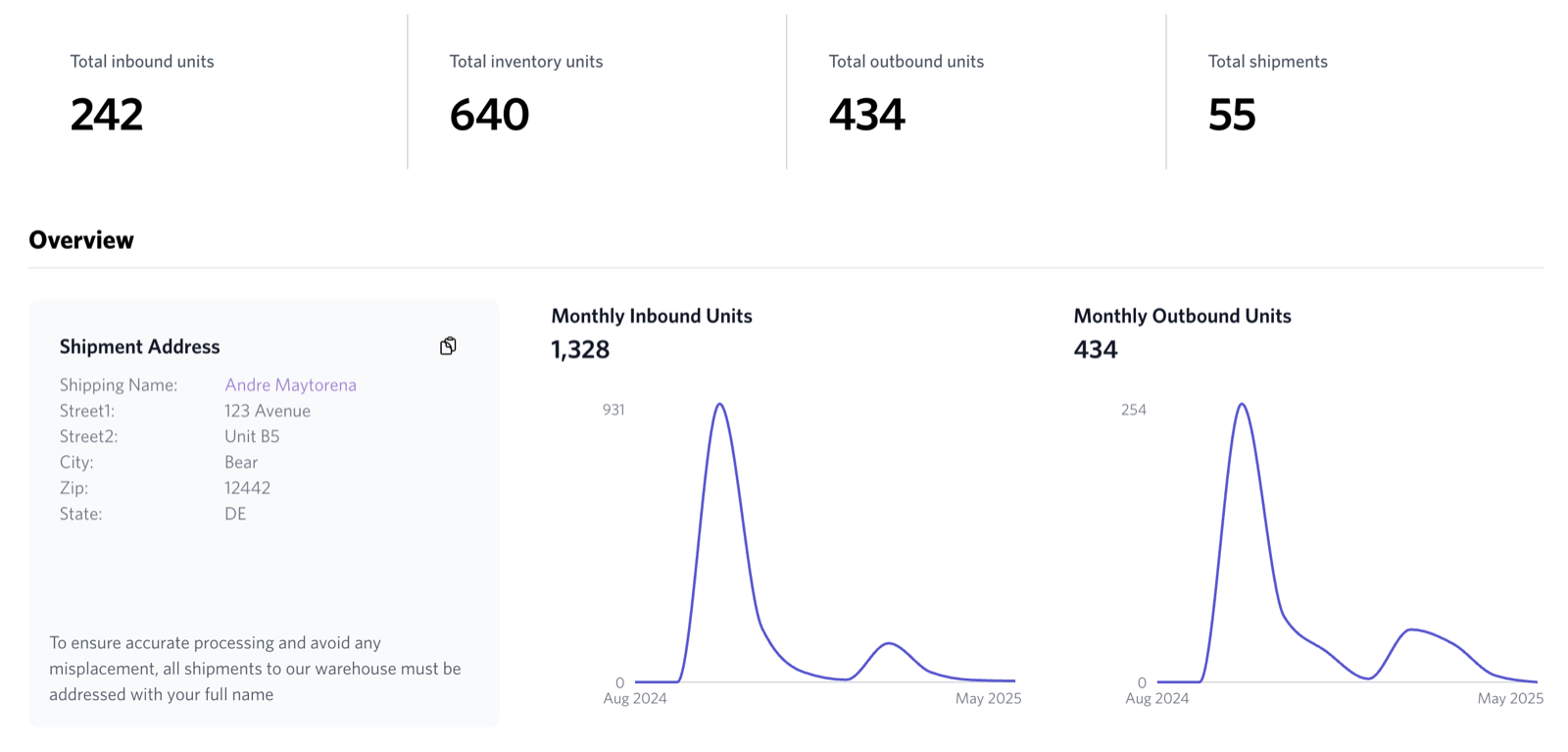
See your inventory in real time. Every unit is searchable by SKU, ASIN, or product name, with stock levels, storage locations, and full check-in history, including who received each item and when.
Create inbound orders in minutes. Tell us what's coming: items, quantities, tracking numbers, and fulfillment type. Our warehouse is ready before your freight arrives, and packages are matched to your order the moment they hit our dock.
Follow every shipment from request to check-in. Request a shipment yourself or set a minimum-quantity rule that triggers one automatically. PrepFlow connects directly to your Seller Central account, builds the FBA inbound plan, and syncs box contents and tracking numbers without any manual uploads.
Request anything without sending an email. Pictures, disposals, shipment changes, special handling. Submit requests from your portal and follow the full conversation history in one place.
Billing that matches reality. Charges are generated from actual warehouse activity as it happens, and invoices arrive bi-weekly on the 14th and 28th, so you can reconcile every line item against your own records.
Every Scan Is on the Record
From the loading dock to the outbound truck, every step is scanned, timestamped, and tied to the staff member who performed it. Here's the trail your inventory leaves.
Dock scan
Every package is scanned the moment it enters our warehouse, creating a timestamped log before any processing begins.
Check-in
Items are matched to your inbound order, counted, inspected for damage, and given an internal barcode.
Stored
Units are scanned into barcoded warehouse locations, so every item has a known address on our floor.
Live in your dashboard
Stock levels, locations, and check-in history appear in your portal in real time.
Picked & packed
When a shipment is created, pick tasks are generated from storage locations and every unit is scanned as it's pulled.
Outbound scan
Every tracking number is scanned as it leaves our dock, closing the loop with a full audit trail.
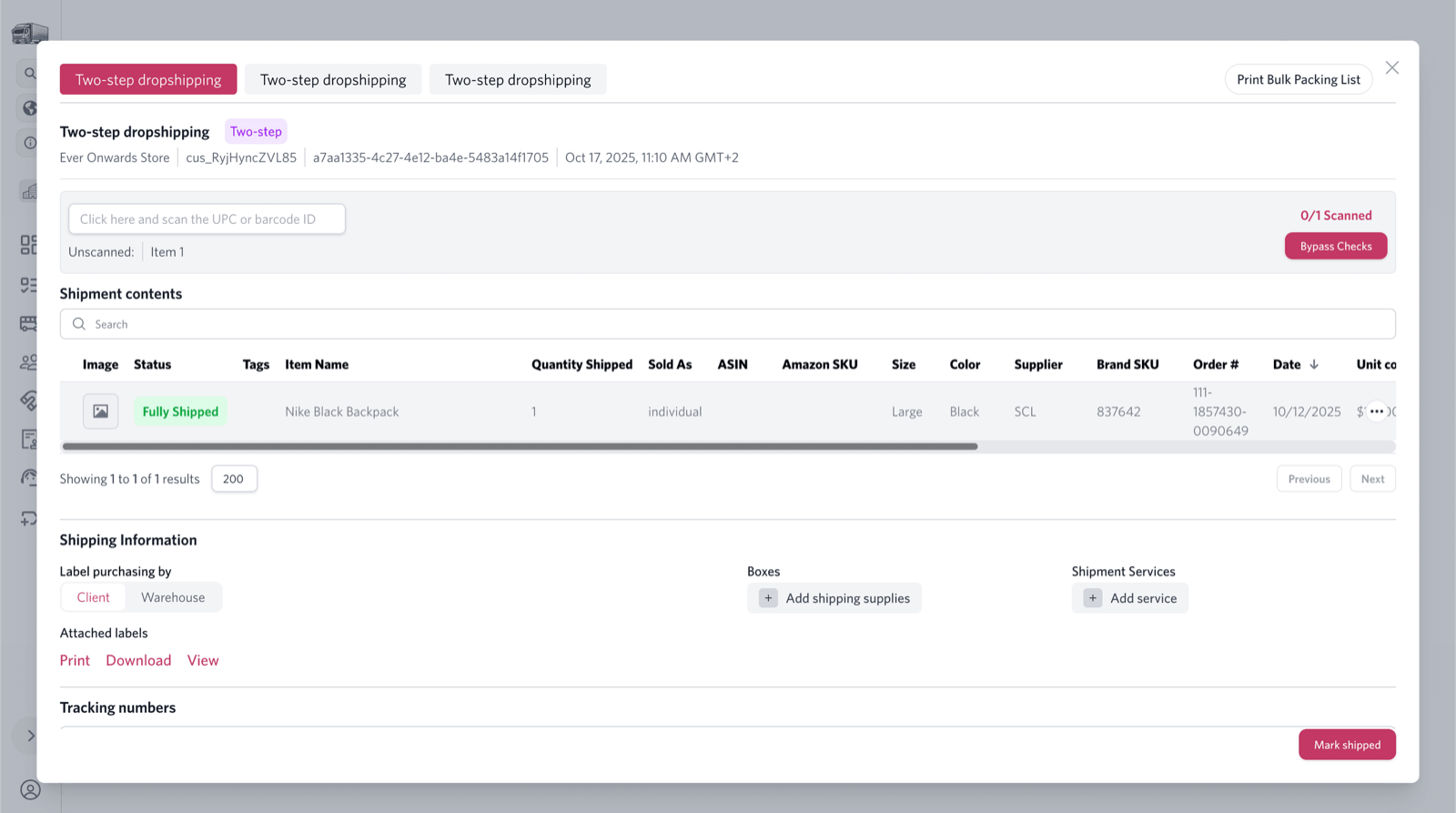
PrepFlow access comes with every Urva Prep account. There are no software fees, no seat limits, and nothing to install. PrepFlow is a separate software company owned by Urva; learn more at prepflowlabs.com.
Apply for an Account
Fill out the details below to apply for an account with our prep center. Accounts are approved instantly when capacity is available.